



What is TMPGEnc KARMA..?
What is TMPGEnc KARMA..?
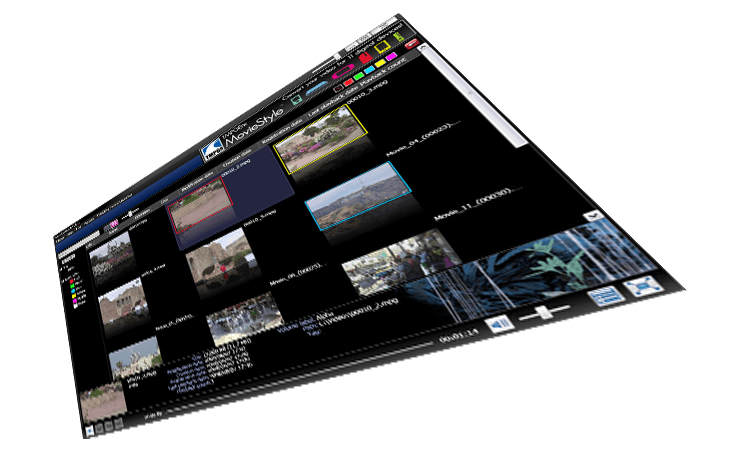
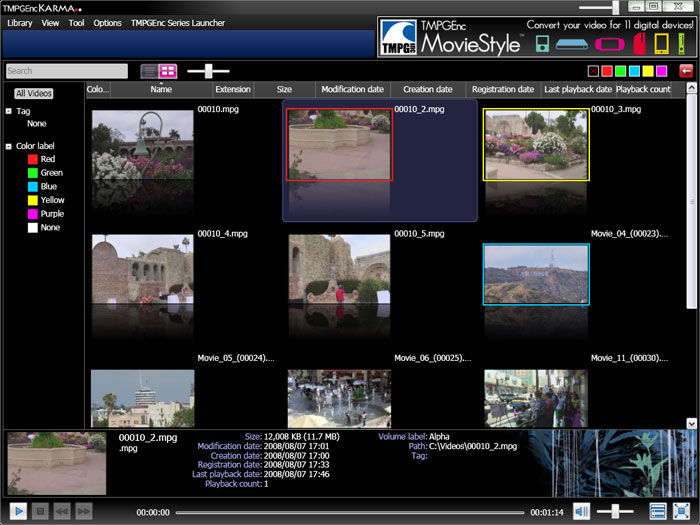
Looking for a better way to find and organize all of the videos on your computer? TMPGEnc KARMA.. lets you easily scan folders and add videos, creating a library listing of them on your computer. Organize your videos easily by using the sorting options, and even create your own custom description tags. View your videos in any of the multiple preview screens, and use the included TileShot CREATOR tool to create images from your videos! Add some good karma to your life and download TMPGEnc KARMA.. today!
View Up To 4 Videos At Once
View Up To 4 Videos At Once
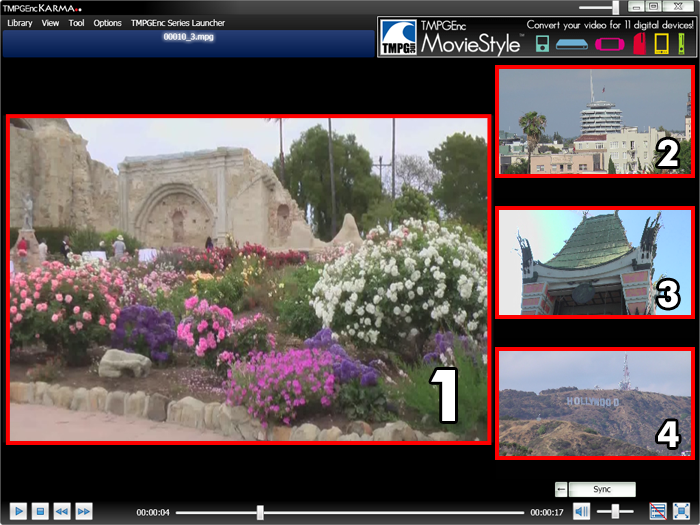
View your video with the main TMPGEnc KARMA.. preview screen, or watch up to three more videos with the sub-preview screens! It's a great way to compare your clips!
Sync Play Feature
Sync Play Feature
You can load up to three videos in the sub-preview screens and use the Sync button to play or pause them all at the same time.
Resume Play Feature
Resume Play Feature

Start your video where you left off with the Resume Play feature. TMPGEnc KARMA.. automatically remembers where you stopped during video playback so the next time you select that video, it will play from that point.
Set Your Own Preview Thumbnail
Set Your Own Preview Thumbnail
When you view your video library in thumbnail list mode, the preview thumbnails are automatically obtained from the first frame of your video. However, you can set your own preview thumbnail from any frame in the video by playing it in one of the sub-menus and right-clicking on the frame you'd like to use as the preview thumbnail.
Color Labels
Color Labels
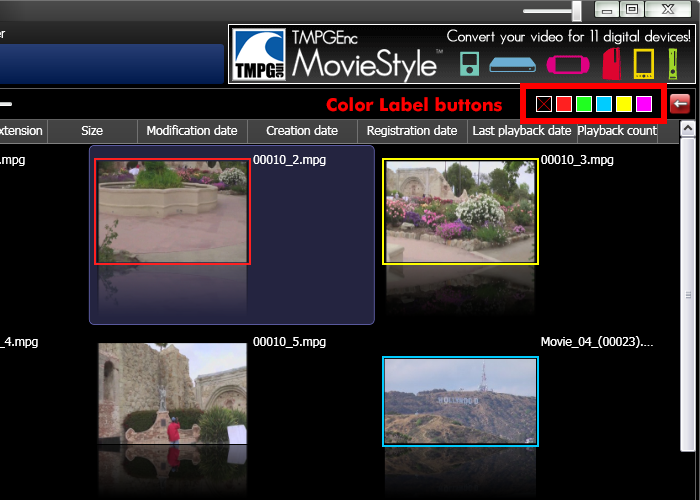
TMPGEnc KARMA.. lets you quickly color-code your videos with the Color Label buttons. Simply select your video(s) and click one of the color buttons to asign a color! You can then sort your videos by color to help you find the video you're looking for even faster!
Window Transparency
Window Transparency
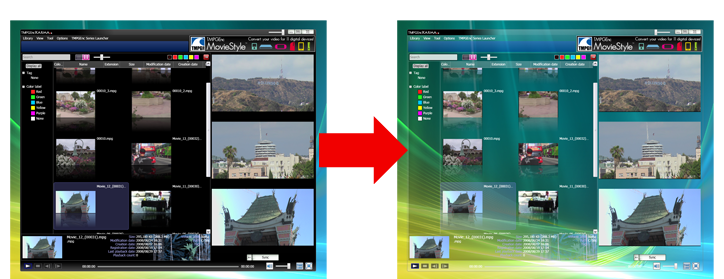
Easily customize the opacity of the TMPGEnc KARMA.. window by using the slider in the upper right corner. Make your window fully opaque, fully transparent, or anything inbetween!
TMPGEnc TileShot CREATOR
TMPGEnc TileShot CREATOR
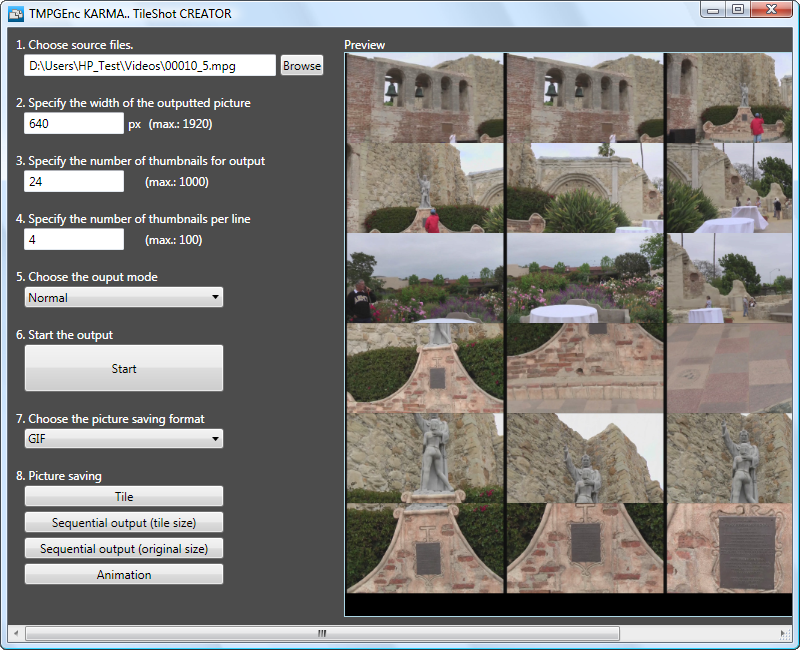
Create a tiled image composed of frames from your video with the included TMPGEnc TileShot CREATOR tool! It's a fast and easy way to create digital contact sheets from your video footage. You can even create an animated .gif image! Great for archiving purposes or used as a preview image on your website or blog!
KARMA..Features
KARMA..Features
Check out these other great features!
Library View Settings
Library View Settings
Get the best performance by customizing KARMA's display options. So whether you've got an older computer or the latest technology, KARMA will run smoothly and efficiently.
Get the best performance by customizing KARMA's display options. So whether you've got an older computer or the latest technology, KARMA will run smoothly and efficiently.
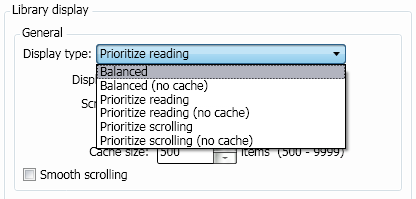
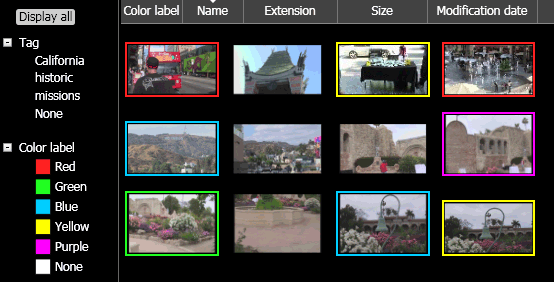
Turn off the text information for thumbnail viewing. This will allow you to see more thumbnails on screen at once.
Turn off the text information for thumbnail viewing. This will allow you to see more thumbnails on screen at once.
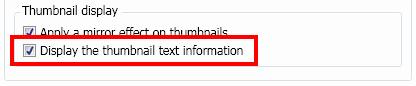
Text Information Display Off
Text Information Display Off
Drag Navigation Control
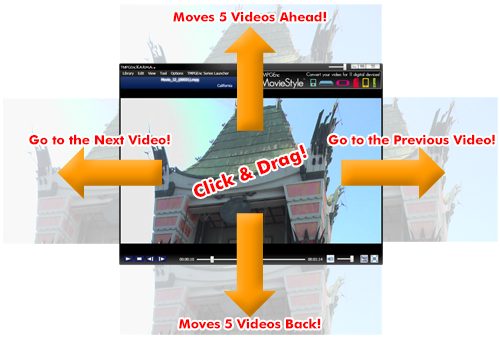
Drag Navigation Control
Switching from one video to the next has never been easier with the new drag navigation control! While watching a video, simply click and drag to navigate through your video library without going back to the library listing! Dragging left and right will go to the previous or next video. Dragging up or down will jump forward or back 5 videos (this number can be changed in the settings). Skipping to the next movie is now as easy as dragging your mouse!
Batch Tagging For Folder Registration
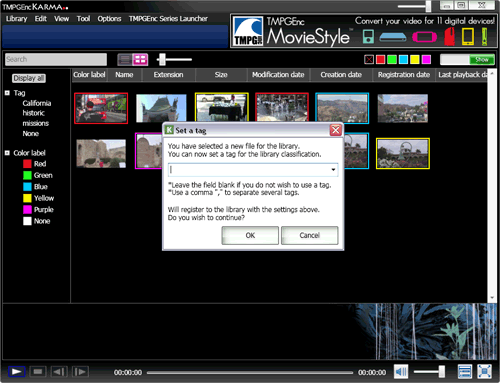
Batch Tagging For Folder Registration
When you register a folder of videos to your video library, you can add tags to describe them instead of having to add tags later.
Minimum System Requirements
| Computer | IBM PC compatible |
| OS |
- Windows 11 - Windows 10 (*32-bit / 64-bit versions) - Windows 8 / 8.1 (*32-bit / 64-bit versions) - Windows 7 (*32-bit / 64-bit versions) - Windows Vista SP1 (32-bit version) - Windows XP SP3 (32-bit version) * .NET Framework 3.0 SP1 or later required |
| CPU | Pentium4 2GHz or better, Athlon XP 2000 or better |
| RAM | 512 MB or more (1 GB or more recommended) |
| Display | 1024 × 768 or higher |
| HDD Space | 20MB for the program |
| HDD Format | NTFS file system recommended. (For FAT32, there is a limit on file size) |
| Other | Windows Media Player 10 or higher DirectX 9 or higher |
If Operation Is Slow
In Preferences, uncheck all of the load reduction settings and symptoms may be improved.
About Viewable Video Files
Video files that can be played with this software depend on the video codecs installed on your computer. Video files that cannot be played by Windows Media Player will not be able to be played by this software. Please install the proper codecs for playback.
Video files that cannot be played even after the codec is installed may not have a supported extension by the software. The extensions that the software supports are as follows:
".avi , .mpg , .mpeg , .wmv , .dvr-ms , .flv , .divx , .div , .m1v , .m2v , .mod , .mp2 , .m2p , .mpa , .mpe , .mp4 , .m2ts , .m2t , .mts , .mpv , .asf , .rm , .mkv
About Audio Files
This software does not support the input of audio files by themselves.
About Support
This software is not covered by any support or warranty. Please note that you use this software at your own risk.